
Built for frames
Performance presets tune your mod stack, memory and garbage collector for your PC. New instances start on generational ZGC, so frame times stay smooth instead of spiking.
Uncapped
Minecraft Java · Fabric · Windows
Panda Client is a launcher and in-game client for 1.20 to 1.21.11. It gives you uncapped frames, a HUD you can drag into place, and one menu for the things you actually change.
Version 1.0.0 · 6.6 MB · Windows 10 and 11 · Free
Features
Performance presets tune your mod stack, memory and garbage collector for your PC. New instances start on generational ZGC, so frame times stay smooth instead of spiking.
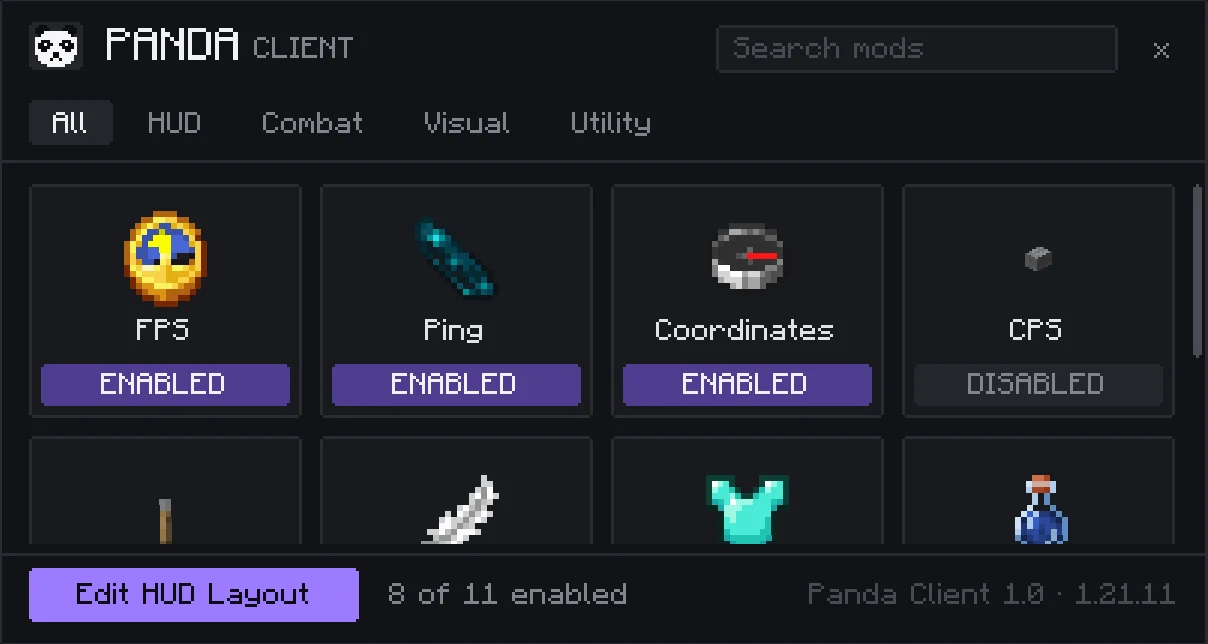
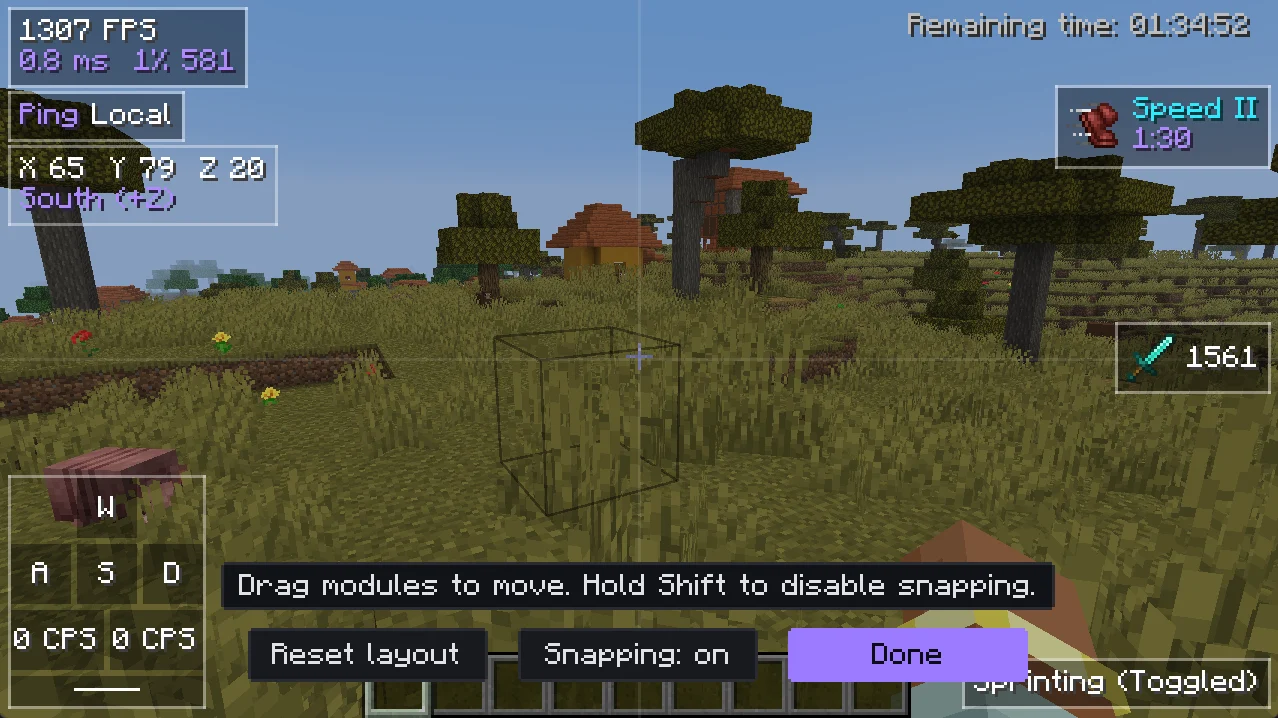
FPS, ping, coordinates, armor, potions, keystrokes, CPS and more. Snap them anywhere on screen.
Switch your skin from inside the game. Drop a PNG on the window and it's on you right away.
Hop between your accounts from the title screen without restarting. Sign-ins stay in Windows Credential Manager.
Smooth zoom, a look-around key that leaves your movement alone, and a crosshair you can restyle.
See what Spotify is playing on your HUD. Works with Spotify Free, no sign-in needed.
A tiny client-side panda that follows you around, eats bamboo and does nothing useful at all. Only you can see it. Rename it, mute it, or send it home.
Search Modrinth and CurseForge from the launcher. Updates and dependencies are handled for you.
Show friends which server or world you're in, or turn it off with one switch.
HUD editor
Open the editor, grab a module and drop it. Edges snap to each other and to the screen, hold Shift for free placement, and reset puts everything back.
Versions
Each release gets its own build of the companion mod, so nothing runs in compatibility mode. Fabric API is installed for you.
Also available for 1.8.9 with a lighter feature set.
Setup
No analytics, no telemetry, no account with us. Panda only talks to Microsoft, Mojang, Fabric and the mod sites you search, and logs are scrubbed of tokens before you ever share them.
FAQ
Yes. Panda Client runs Minecraft: Java Edition with your own Microsoft account. It doesn't let you play without owning the game.
Panda is a quality-of-life client, not a cheat client. Everything in it shows information you already have or changes how the game looks. Some features switch off on servers that ask for it. Always follow the rules of the server you play on.
No. Each instance gets its own folder under %APPDATA%\PandaClient. If you use the official launcher route, Panda adds one profile and backs up your launcher settings first.
Yes. Add mods from Modrinth or CurseForge in the launcher, or drop jars into the instance folder. Panda keeps the ones it manages separate from yours.
Windows only for now.
No. Panda Client is free.